
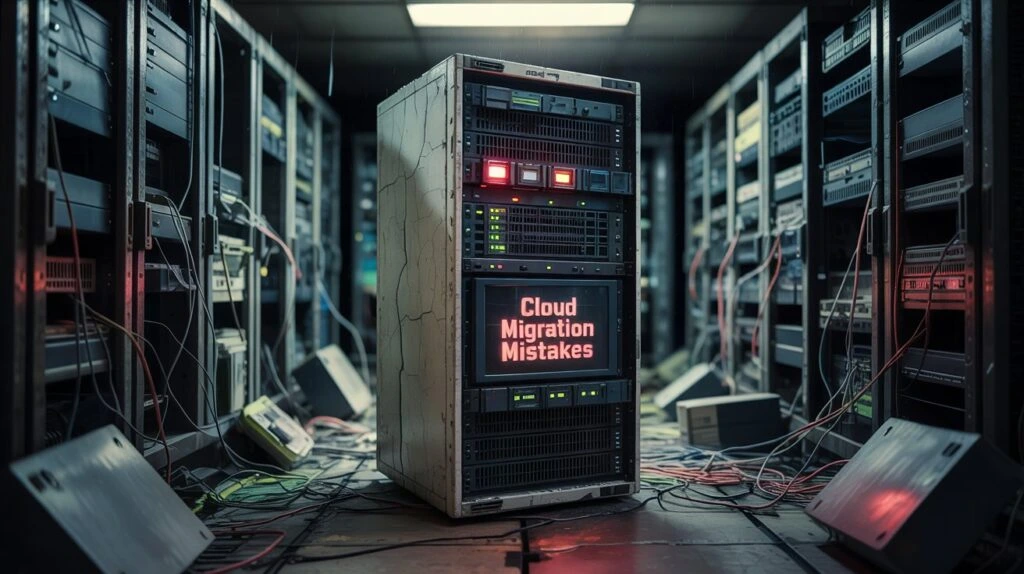
Nobody starts a cloud migration expecting it to go sideways. Yet here we are — 38% of enterprise migrations blow past their original budget. Post-migration cloud costs run, on average, 23% higher than what was projected. And a surprising number of CTOs, six months into what was supposed to be a modernization win, are staring at bills that make their old data center look cheap. So what actually goes wrong? Not the technology. Rarely the team. Almost always, the decisions made or skipped before a single workload moved. These are the cloud migration mistakes for enterprises that keep showing up, across industries, across company sizes, across cloud platforms.
The 7 Cloud Migration Mistakes Enterprises Keep Making
1. Lift-and-Shift Isn't a Strategy. It's a Starting Point.
There's nothing wrong with rehosting. It's fast, it's low-risk, and for certain legacy systems it genuinely makes sense. The problem is when teams apply it to everything, because it's easier than thinking through the alternatives. A logistics company moved 40 applications to AWS. Six months, clean delivery, everyone was happy. Then the annual cloud bill landed. Forty percent higher than their old on-premises costs. Applications built for fixed hardware don't behave the same way in elastic environments. Nobody had planned for that. The 7R framework exists for a reason: Rehost, Replatform, Refactor, Re-architect, Repurchase, Retire, Retain. Each workload deserves its own answer. Revenue-driving applications usually need a refactor, not a lift. Skipping that conversation upfront is how you end up rearchitecting under pressure, twelve months later, at three times the cost.
2. Nobody Mapped the Dependencies. Nobody.
Ask any engineer who's been through a rough migration, and this one comes up every time. Teams assume their application documentation is accurate. It isn't. A retail enterprise found out mid- migration that their inventory management system had hidden dependencies on three internal microservices and two on-premises databases — none of them flagged during planning. The result was a three-week rollback, emergency patching, and a product launch that didn't happen on schedule. Automated discovery tools will surface what manual documentation misses. Run them before anything moves. Build the migration sequence around the actual dependency graph, not the project manager's timeline.
3. FinOps Isn't Optional. Most Teams Treat It Like It Is.
Cloud cost overruns aren't usually dramatic. They're slow and quiet. A test environment nobody shut down. Resources over-provisioned "just to be safe." A storage bucket left running after a project closed. According to Forbes Business Council research, nearly one-third of cloud infrastructure spend gets wasted this way. Organizations that bring in FinOps practices early — actual financial governance for cloud spend, not just a dashboard — cut total cloud costs by around 20% in the first year. That means real ownership. Budget accountability per team. Rightsizing reviews scheduled into the post-migration calendar from day one, not added six months later when someone finally asks why the numbers don't match the forecast.
4. Security That Gets Added After the Fact Isn't Really Security
This pattern is almost embarrassingly common. The security team gets pulled into the conversation after the architecture is already locked. IAM policies, network configurations, encryption standards — all of it has already been decided. Retrofitting proper security at that point costs more and covers less. Here's the uncomfortable number: 95% of cloud security failures stem from customer-side misconfiguration. Not from the cloud provider. Not from a sophisticated attack. From decisions made or not made during migration planning. Embed security from the discovery phase. Define least-privilege access before go-live. Run compliance checks against HIPAA, PCI-DSS, or SOC 2 requirements as part of the pre-launch checklist, not the post-launch audit. And update your incident response plan. The one sitting in a folder somewhere probably describes an on-premises environment that no longer exists.
5. Vendor Lock-In Feels Fine Until It Doesn't
During migration, single-vendor commitment feels like simplicity. Two years later, during contract renewal, it feels very different. Building too tightly around one provider's proprietary services — their specific database engines, serverless tooling, ML APIs — and the technical cost of switching becomes enormous. More than 89% of enterprises now run multi-cloud environments. Risk mitigation is the main reason. The practical answer isn't necessarily deploying to three clouds on day one. It's making portability a real architectural priority from the start. Containerize with Kubernetes. Use abstraction layers between application code and provider-specific services. Design for exit, even if you never use it.
6. A Disaster Recovery Plan From 2019 Won't Save You in the Cloud
A healthcare organization wrapped up its migration on schedule. Three months later, a misconfigured storage bucket triggered a partial data loss event. Their disaster recovery documentation described the old on-premises setup. The recovery procedures referenced tools that hadn't been part of the architecture since migration day. Cloud environments need cloud-native DR plans. RTOs and RPOs are defined per workload. Automated failover is tested before go-live, not after an incident. Multi-region redundancy for anything critical. Quarterly drills. Organizations that run formal readiness assessments before migrating are 2.4 times more likely to succeed, and disaster recovery planning is a big part of why.
7. Go-Live Is Not the Finish Line
The migration completes. The applications are live. The team celebrates and moves on to the next project. And then, quietly, things start drifting. Without ongoing governance, cost reviews, performance benchmarking, and security auditing, cloud environments degrade. Costs creep 15–25% beyond projected run-rates. Nobody notices until it's a problem. A Cloud Center of Excellence doesn't have to be a large team. Even a small cross-functional group with clear ownership of cloud performance, compliance, and financial governance makes an enormous difference. Pair that with tools like AWS CloudWatch or Azure Monitor, and you're catching problems before they compound.
Rate Your Cloud Migration Readiness
Before anything moves, be honest about where you actually stand. Score each area from 1 (not started) to 5 (fully in place): • Application inventory and dependency mapping done • Migration method assigned per workload • Cloud security baseline and IAM model defined • FinOps governance and budget ownership in place • DR plan built for cloud, not copy-pasted from on-prem • Vendor portability or multi-cloud strategy is considered • Post-migration monitoring and governance plan ready Here's how the score is calculated: • 7–14: Significant gaps. High risk of overruns, delays, or security exposure. • 15–24: Moderate readiness. Work to do before migration starts. • 25–35: Strong foundation. You're set up to actually get the ROI you were promised.
This Is Exactly the Work IntelliSource Technologies Does
Every mistake on this list is preventable. The enterprises that come out of cloud migrations with better infrastructure, lower costs, and clean security postures aren't luckier than the ones that struggle — they just planned differently. IntelliSource Technologies has guided organizations through complex cloud migrations on AWS, Azure, and multi-cloud environments. Dependency mapping, workload classification, FinOps frameworks, security architecture, and post-migration governance — the team has done this work across healthcare, logistics, e-commerce, and beyond.
If you're building a migration plan or a current migration has hit unexpected problems, a focused conversation now is a lot cheaper than a recovery effort later. Schedule a Cloud Readiness Review with IntelliSource Technologies. We'll look at your current architecture, identify where the real risks sit, and build a migration roadmap that keeps your budget, your data, and your timeline intact.
Blogs:
Explore all blog

Digital Transformation Checklist for Businesses: 10 Signs Your Company Is Falling Behind
Most companies falling behind digitally don't know it yet. Use this digital transformation checklist for businesses to score yourself across 10 real signs — each with a measurable business cost attached.
Beyond the Hype: 3 Ways We Are Integrating OpenAI APIs to Cut Operational Costs for SMEs
SMEs don't need to build their own AI systems to benefit. Discover 3 practical ways IntelliSource integrates OpenAI APIs to cut operational costs and automate the work no one wants to do manually.

Change Management in Digital Transformation: Why 70% of Digital Transformations Fail
70% of digital transformations fail — not because of technology, but because of people. Discover why change management is the most critical factor in any digital transformation strategy.